
In this new feature update of Paragraphic two major new features are introduced: Color gradients and parametric noise layers. Along with these new features the update also includes a lot of smaller fixes and improvements, particularly in the areas of importing SVG and pixel-image content. You can get a quick introduction to the new features in this video or read more below.
Color gradients for fill and more
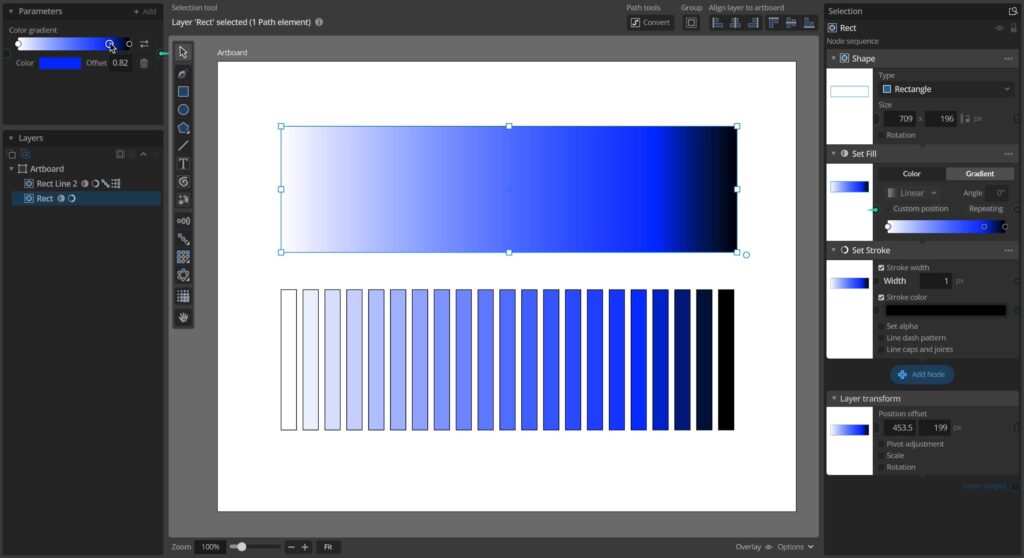
You can now define and use color gradients as fill on elements, just like in most other illustration software. However, in Paragraphic you can also use color gradients to make it easier to apply for example gradual fill color changes or randomization in patterns of elements.
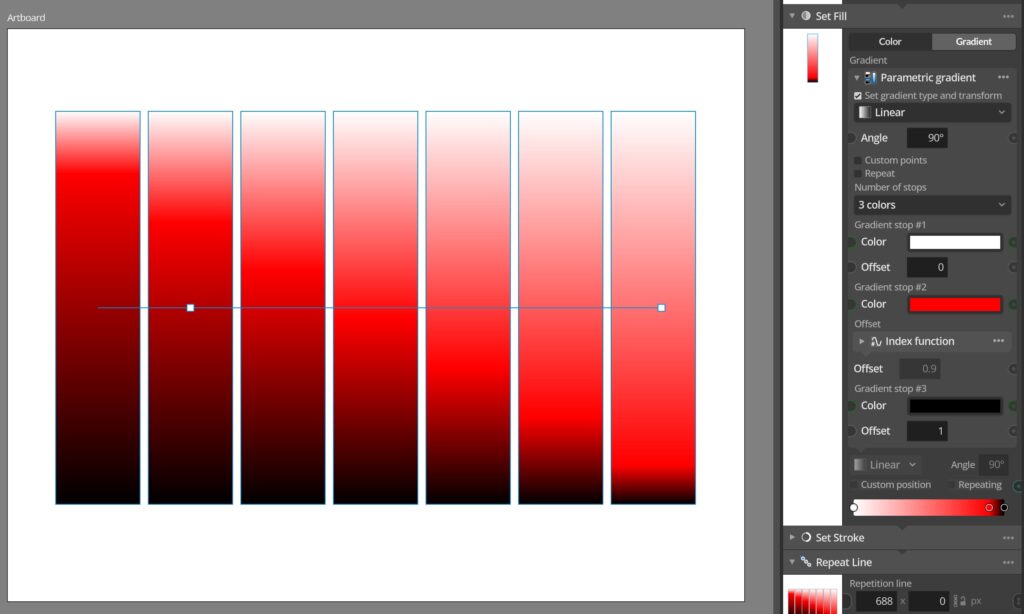
As Paragraphic is a parametric design system you can also define color gradients for any of these use cases using parameters, making dynamic gradients that vary across your designs.
Procedural noise layers
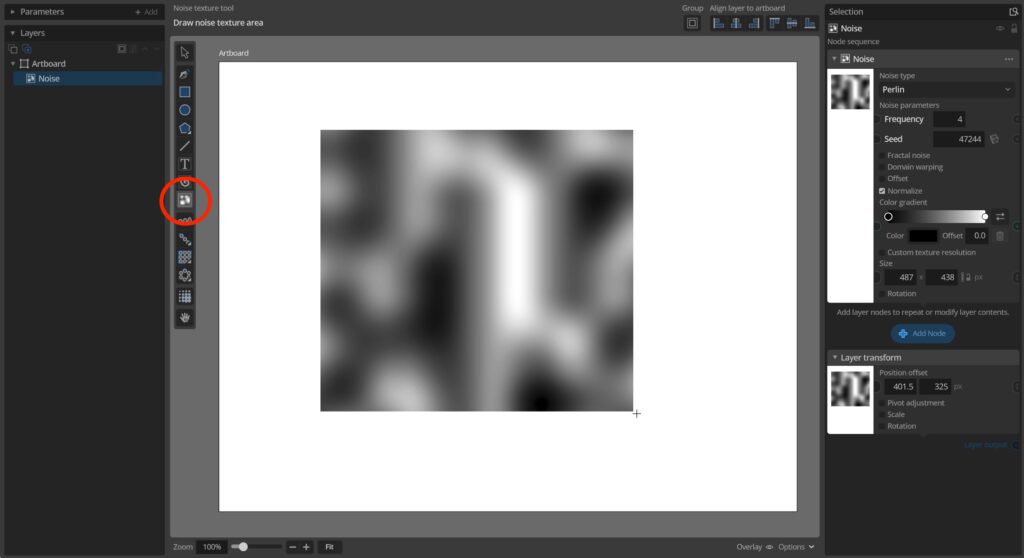
Procedural noise of various types is very useful to create natural random gradients and variations in 2d, and is used by many generative design systems. Using the new Noise texture tool in Paragraphic you can now add and configure dynamic noise texture layers to use noise in your designs.
The noise layers work like any other layer and once you have the noise set up the way you like it you can use the Apply layer node to apply this noise to transform elements in your design you want to give some variation. When using the noise layer like this you can then just hide it if you don’t want it to be visible in the final design.

Full change list
Finally, below you can find the full list of all changes and fixes in the new version
Changes and improvements
– Color gradients, new parameter type for defining multi-stop color gradient that can be used to set fill of elements and in many other situations where colors gradually change.
– Dynamic 2D Noise, use the new Noise texture tool to add layers of dynamic procedural noise that can then be used with the Apply Layer nodes to apply dynamic noise effects to elements groups.
– Added new Fill color gradient and Stroke color gradient options in Apply function, Apply layer, Apply list and Randomize nodes, allowing you to set fill or stoke color by sampling colors from a gradient.
– Added new Parametric gradient input node, allowing you to define a color gradient with linked color and stop offset parameters.
– Added new Color from gradient color input node, allowing you to sample a single color from a gradient.
– Added additional noise configuration settings (frequency and fractal octaves) to the Noise function used in Apply Function, Index Function etc nodes.
– Update to Godot 4.5 rendering engine.
– Improved filtering/rendering of scaled bitmap image layers.
– Added support for importing JPEG images with more unusual color formats.
– Added seeking and a simple progress bar to the videos in the Getting started intro window.
– Added current tool action description label to all tools in the toolbar.
– Added warning about missing screen reading permissions for sampling colors from other apps in color picker when appropriate.
– Adding Index value input nodes to parameters with 0-1 value range now automatically sets it to relative value mode.
– Split long parameter tooltips into multiple lines to make them easier to read.
– Improvements to error logging, including script backtraces in technical log on errors.
Bug fixes
– Fixed crash importing SVGs with embedded jpg bitmap data in unsupported formats.
– Fixed missing resize handles on layers for some single path imported svg.
– Fixed bug where importing multiple different size svgs in sequence would sometimes result in incorrect scaling if layers were then resized.
– Hide Repeat Transform offset handle if offset is disabled.
– Fixed incorrect hint messages and warnings shown in Align node to connect a target layer, even if align to layer option was disabled.
– Fixed an issue with validation of the add input node item in the parameter context menu.
– Fixed a svg generation issue where the wrong color might be used in the preview in layers with a lot of similar colors.
– Fixed an import issue where replacing loaded image layer data with a new image would sometimes fail.
– Fixed an import issue where replacing imported svg data parsed as paths would revert the layer to importing as an image instead of parsed vector paths.
You can check for updates and download the latest version from within Paragraphic if you have it installed, or you download it from paragraphic.design