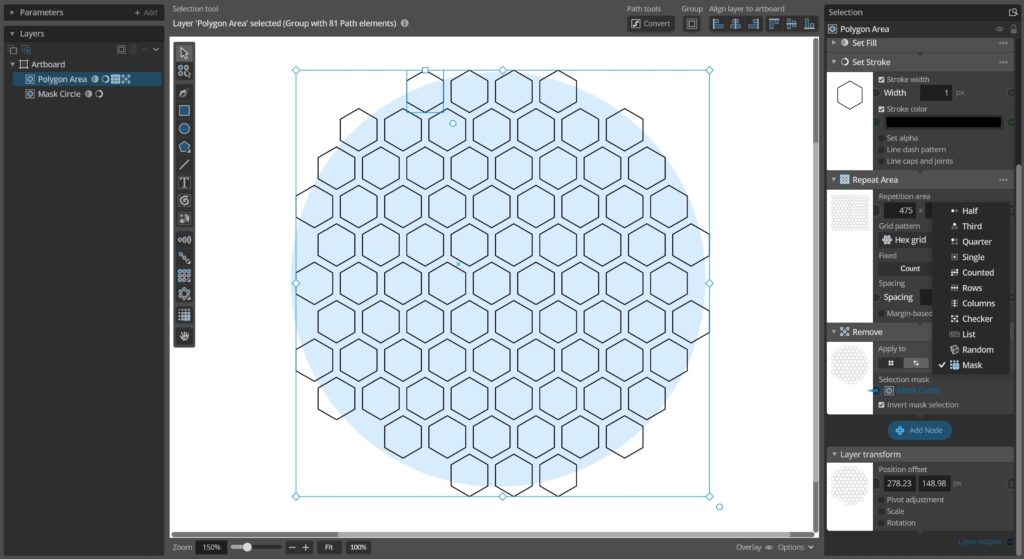
This update adds a new Mask selection mode you can use the the Apply to settings in all Change or Group nodes. It allows you to apply the change the node applies based on a linked mask layer, making it easier to target what elements you want to apply the change to.
In addition to this there are a couple of UX improvements and the usual batch of bug fixes.
Full update change log:
Changes and improvements
– Added new Mask selection mode available in all Change / Group nodes that allows applying the effect of the node only to elements inside a mask defined by another layer.
– Improve contrast by giving nested parameter input nodes panels alternating light/dark background color.
Bug fixes
– Fixed new drawn shape layers (rects, circles etc) getting stroke even if stroke was toggled off in the tool toolbar settings.
– Fixed insert menu for adding input nodes after vector2 nodes showing color nodes instead of vector2 nodes.
– Fixed some inconsistencies with how clip node updates the layer when the layer is transformed.
– Fixed some incorrect error log messages duplicating layers with index-based generation.
– Fixed some incorrect error log messages inserting input nodes after existing input nodes.
You can check for updates and download the latest version from within Paragraphic if you have it installed, or you download it from paragraphic.design