
Most use cases for Paragraphic will involve repeating elements in patterns in one way or another, and this is done by what is called Repeater layer nodes. The Repeater nodes take the existing content of the layer and adds repeated copies of it to let you create patterns of various types.
This video gives you an introduction to working with repeaters in Paragraphic and shows examples of all of the available repeater types and how they can be used, or you can read about the basics in text below.
Adding repeaters to layers
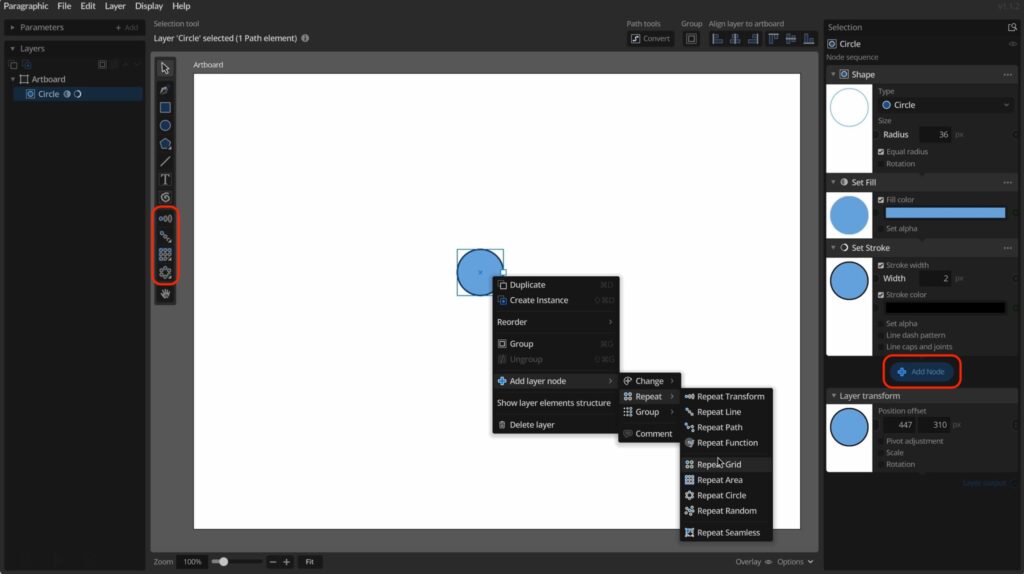
Repeaters in Paragraphic are just like other layer nodes you can add to layers to modify or generate their content. So like other nodes you can add repeaters by clicking the Add node button in the Selection panel to the right when a layer is selected, or via the layer context menu.
However, since adding repeaters to layers is such a common task there are also dedicated tools in the toolbar on the left for adding specific repeaters. To use them you first select the layer you want to add a repeater to, then select the tool, and finally click and drag out the repetition from the handle shown on the layer in the main view port.
Regardless of how you add the repeater it will appear as a node panel to the right where you can modify its settings.
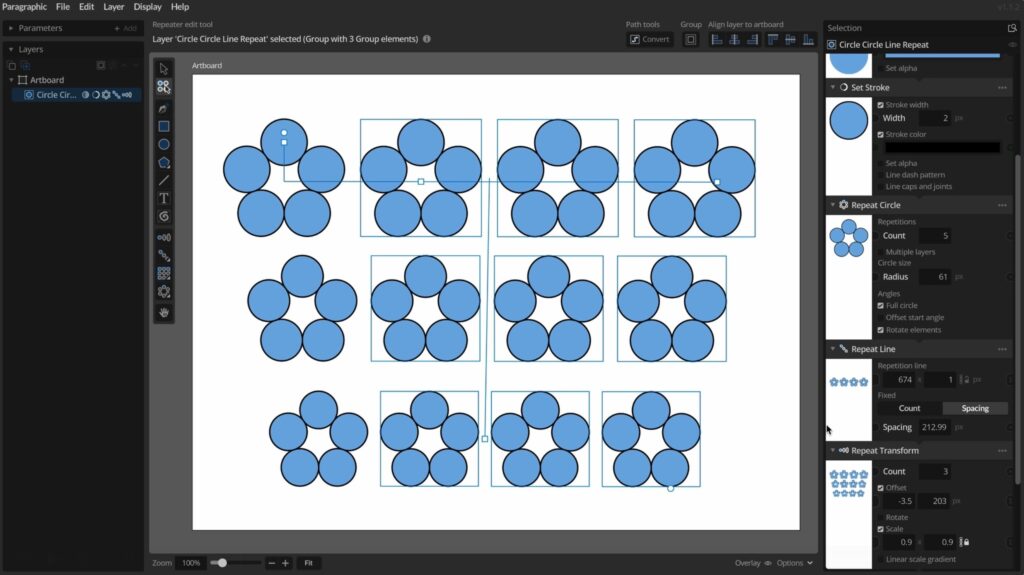
The repeaters, like other layer nodes, always act on whatever is before them in the layer node sequence. So you can freely combine any sequence of repeaters by adding them after each other to create multi-level repetitions.
To remove a repeater you can use the context menu or … menu button on the panel for the repeater node to the right and select Delete node.
Working with repeaters
Once you’ve added a repeater to a layer you can find all of its settings and parameters in the panel for this node to the right. Depending what repeater you are using you can configure how many repetitions should be made, what spacing or transformations to use.
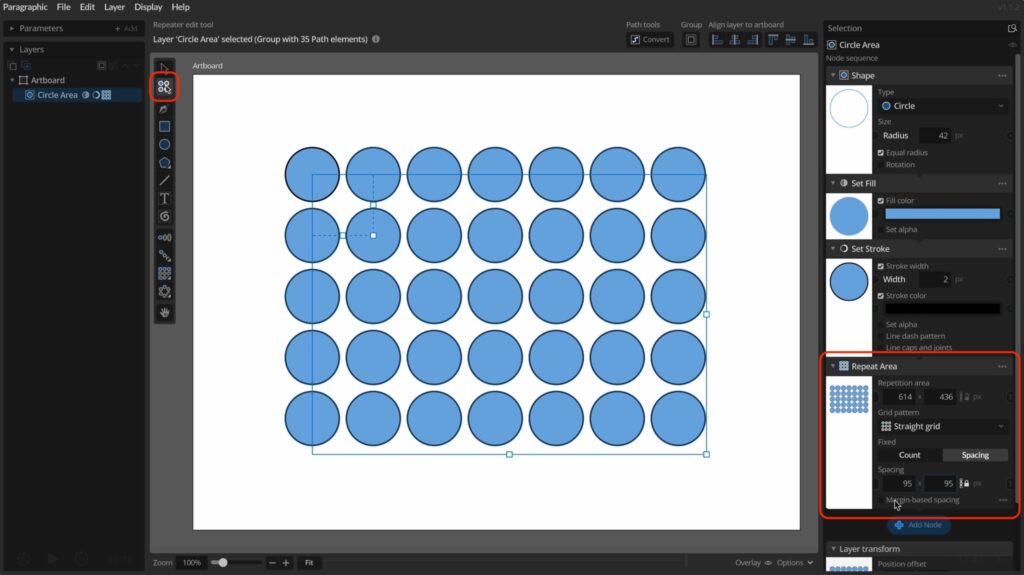
You can also use the Repeater edit tool to modify repeaters in a more visual way. It is found at the top of the tools panel below the normal select tool, and shown if the selected layer has any repeaters. This tool is automatically selected when adding or changing a repeater node, and it shows handles in the main view that you can drag to adjust for example spacing, offsets, angles or area properties of repeaters.
For a demonstration on all the different repeaters currently available in Paragraphic you can take a look at the video above.